Simple Waypoint Tween
A lightweight path-following and tweening system for Unity. Move objects along linear or spline paths with 20+ easing curves, per-waypoint settings, events, rotation tracking, and scale tweening.
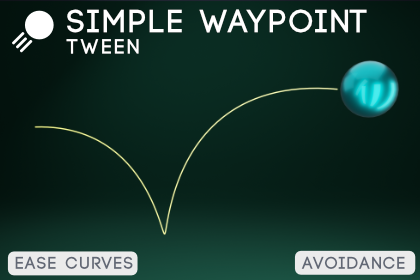
Overview
Simple Waypoint Tween lets you create smooth object movement along paths using waypoints. Place waypoints in your scene or define them as reusable ScriptableObject assets, choose between linear segments or Catmull-Rom spline curves, pick an easing curve, and press play.
Movement
| Feature |
Description |
| Path Types |
Linear (straight segments) or Catmull-Rom spline (smooth curves) |
| Path Modes |
Once, Loop, or PingPong |
| Easing Curves |
20+ built-in curves (Linear, Quad, Cubic, Quart, Quint, Sine, Expo, Circ, Elastic, Back, Bounce) with In/Out/InOut variants |
| Custom Curves |
Unity AnimationCurve support for fully custom motion profiles |
| Constant Speed |
Arc-length parametrized movement for consistent speed across variable-length segments |
| Per-Waypoint Easing |
Override the global easing curve per individual waypoint |
Data & Editing
| Feature |
Description |
| Inline Waypoints |
Set waypoints directly on the component — quick and disposable |
| PathDefinition Assets |
ScriptableObject paths — share one path across multiple objects, save as project assets |
| Scene View Editing |
Click to select waypoints, drag position handles, Ctrl+Click to add new waypoints at the raycast hit point |
| Path Editor Window |
Dedicated editor window (Window > SWTween > Path Editor) with waypoint list, reorder, reverse, and mirror tools |
| Path Preview |
Gizmo preview of the full path in the scene view — shows both the raw path and the eased-motion path |
Transform Support
| Feature |
Description |
| Position Tweening |
Move along the path with constant speed and easing |
| Rotation Modes |
None, LookAtTarget (look ahead along path), or FollowTangent (smooth rotation following spline direction) |
| Scale Tweening |
Lerp between per-waypoint scale values over the course of the path |
Events
| Event |
Description |
| OnPathStarted |
Fires when movement begins |
| OnWaypointReached(int) |
Fires when crossing each waypoint, passes the waypoint index |
| OnPathCompleted |
Fires when the path is finished (Once mode) |
| OnLoop |
Fires on each loop or ping-pong reversal |
Public API
| Method |
Description |
| Play() |
Start moving from the beginning |
| Pause() |
Pause at the current position |
| Resume() |
Resume from paused position |
| Stop() |
Stop and reset to the start |
| JumpTo(float) |
Jump to a normalized progress (0–1) |
| JumpToWaypoint(int) |
Jump to a specific waypoint index |
| IsPlaying |
Read-only — check if currently moving |
| Progress |
Read-only — current normalized progress (0–1) |
Legacy Support
The original SimpleWaypointTween and SimplePathAvoidance components remain in Legacy/ for backwards compatibility. Existing scenes using the old system work without changes.
Package Contents
PathTween/Runtime/ — Core runtime scripts
PathTween.cs — Main componentPathDefinition.cs — ScriptableObject path dataPathPoint.cs — Per-waypoint data structEasing.cs — 20+ easing functions
PathTween/Editor/ — Editor tools
PathTweenEditor.cs — Custom inspectorPathEditorWindow.cs — Path editor window and scene view tools
Legacy/ — Original v1.0 components (backwards compatible)
Scripts/ — SimpleWaypointTween.cs, SimplePathAvoidance.csEditor/ — SimpleWaypointTweenEditorWindow.cs
Documentation/ — This documentation
Samples/ — Sample materialsSimpleTest.unity — Basic example sceneObstacleAvoidance.unity — Obstacle avoidance example scene
Requirements
- Unity 2020.3 LTS or newer
Next Steps
 Dylan Auty