 Dylan Auty
 Component Reference
AirplaneController
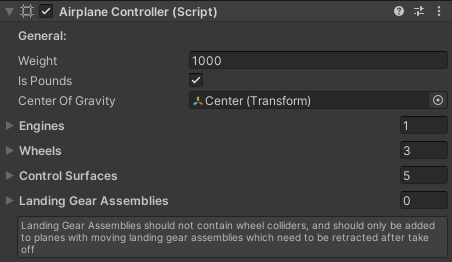
The main controller. Orchestrates engines, wheels, control surfaces, landing gear, and weather effects.
| Property | Description |
|---|---|
| Weight | Aircraft mass (kg or lbs) |
| Is Pounds | Toggle weight units |
| Center Of Gravity | Transform for CG position |
| Engines | List of AirplaneEngine components |
| Wheels | List of AirplaneWheel components |
| Control Surfaces | List of AirplaneControlSurface components |
| Landing Gear Assemblies | List of AirplaneLandingGear components |
Automatically finds an AirplaneWeather in the scene and applies wind forces each frame.
AirplaneAerodynamics
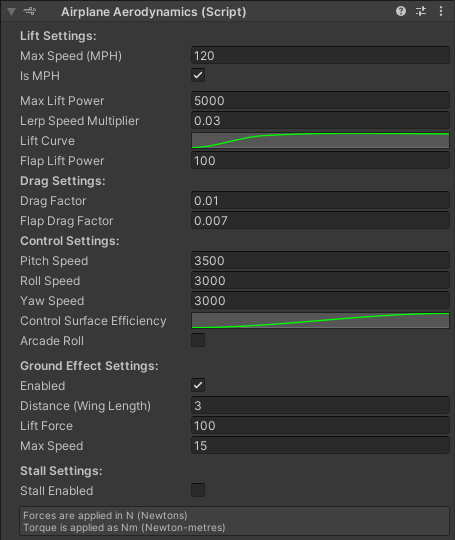
Handles all flight physics: lift, drag, pitch/roll/yaw torque, ground effect, and stall behavior.
Lift Settings
| Property | Description |
|---|---|
| Max Speed | Aircraft top speed (MPH or KPH) |
| Max Lift Power | Base lift force in Newtons |
| Lerp Speed Multiplier | How aggressively the physics corrects the rigidbody |
| Lift Curve | Lift vs normalized speed |
| Flap Lift Power | Additional lift from flaps |
Drag Settings
| Property | Description |
|---|---|
| Drag Factor | Drag increases with speed |
| Flap Drag Factor | Additional drag when flaps deployed |
Control Settings
| Property | Description |
|---|---|
| Pitch/Roll/Yaw Speed | Torque applied per unit input (Nm) |
| Control Surface Efficiency | Input authority curve vs speed |
| Arcade Roll | Disables banking for simpler roll |
Ground Effect Settings
| Property | Description |
|---|---|
| Enabled | Toggle ground effect |
| Distance | Wing length for ground effect raycast |
| Lift Force | Cushion force near ground |
| Max Speed | Speed cap for ground effect |
Stall Settings (New)
| Property | Description |
|---|---|
| Stall Enabled | Enable stall physics |
| Critical Stall Angle | AoA at which lift drops (default 16°) |
| Pre-Stall Warning Angle | AoA threshold for stall warning |
| Post-Stall Lift Multiplier | How much lift remains after stall (0-1) |
| Max AoA Lift Multiplier | Lift increase before stall (peak performance) |
When enabled, lift increases with angle of attack up to the critical angle, then drops sharply. The editor displays real-time AoA and stall status.
AirplaneEngine
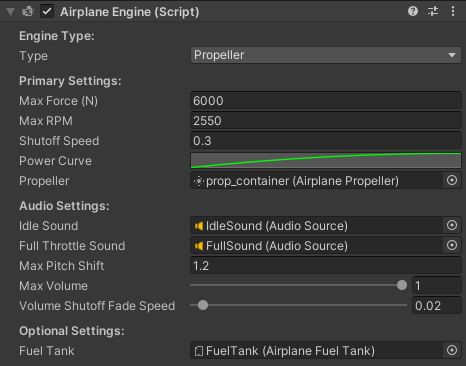
Drives the aircraft forward. Supports both propeller and jet modes.
Primary Settings
| Property | Description |
|---|---|
| Type | Propeller or Jet |
| Max Force | Thrust in Newtons |
| Max RPM | Engine redline |
| Shutoff Speed | Throttle decay rate when cut |
| Power Curve | Thrust vs throttle position |
| Propeller | AirplanePropeller reference (propeller mode only) |
Jet/Spool Settings (Jet mode)
| Property | Description |
|---|---|
| Spool Speed | How fast the engine responds to throttle changes |
| Idle Thrust Fraction | Minimum thrust at zero throttle (default 5%) |
In Jet mode, thrust smoothly ramps toward the target throttle rather than changing instantly, simulating turbine spool-up. The propeller reference is ignored.
Audio Settings
Two AudioSource slots for idle and full-throttle sounds, with configurable pitch shift and volume fade.
Optional Settings
| Property | Description |
|---|---|
| Fuel Tank | AirplaneFuelTank reference (omit for unlimited fuel) |
AirplaneFuelTank
Simple fuel system with capacity and burn rate.
| Property | Description |
|---|---|
| Fuel Capacity | Gallons |
| Fuel Burn Rate | Gallons per hour |
When fuel reaches zero, the engine automatically shuts off. Call AddFuel(float) to refuel.
AirplaneWheel
Wraps a WheelCollider with braking and steering support.
| Property | Description |
|---|---|
| Wheel Object | Visual wheel transform |
| Can Brake | Enable braking |
| Brake Force | Max brake torque |
| Can Steer | Enable steering |
| Steer Angle | Max steering angle |
| Steer Smooth Speed | Steering response rate |
| Invert Steering | Flip steering direction |
Wheels retract when the landing gear is stowed (disables the WheelCollider).
AirplaneLandingGear
Retractable landing gear assembly with visual animation.
| Property | Description |
|---|---|
| Rotation Axis | Axis of rotation for retraction |
| Max Angle | Rotation range (typically 90°) |
| Smooth Speed | Animation speed |
| Surface Object | The visual landing gear transform |
| Wheel | Associated AirplaneWheel |
AirplaneControlSurface
Visual control surfaces that animate based on input.
| Property | Description |
|---|---|
| Type | Rudder, Elevator, Flap, or Aileron |
| Rotation Axis | Local rotation axis |
| Max Angle | Maximum deflection angle |
| Smooth Speed | Animation speed |
| Surface Object | The visual surface transform |
AirplanePropeller
Visual propeller with idle spin and motion-blur swap.
| Property | Description |
|---|---|
| Min Rotation RPM | RPM threshold for visible spinning |
| Min Blur RPM | RPM threshold to swap to blurred mesh |
| Rotation Speed Change | Accel/decel rate |
| Primary Propeller | Sharp mesh (visible at low RPM) |
| Blurred Propeller | Blurred mesh (visible at high RPM) |
| Rotation Axis | Spin axis |
AirplaneDamage (New)
Structural damage system with G-force, overspeed, and impact detection.
| Property | Description |
|---|---|
| Current Damage | Live damage value (0-100) |
| Max Damage | Destruction threshold |
| Invincible | Disable all damage |
| Positive/ Negative G Limit | G-force tolerance |
| G-Force Damage Per Second | Damage rate when over-G |
| Enable Overspeed Damage | Toggle overspeed damage |
| Overspeed Multiplier | Speed multiplier above max to trigger damage |
| Overspeed Damage Per Second | Damage rate when overspeeding |
| Enable Impact Damage | Toggle collision damage |
| Min Impact Velocity | Minimum collision speed to cause damage |
| Impact Damage Multiplier | Damage per unit velocity over threshold |
| Engine Fail Threshold | Damage % at which engines shut down (0 = disabled) |
| Control Degrade Threshold | Damage % at which controls degrade |
Damage reduces control surface effectiveness linearly from 100% at the degrade threshold down to 30% at max damage. Events fire at damage milestones.
AirplaneWeather (New)
Scene-wide wind, turbulence, and gust system.
| Property | Description |
|---|---|
| Wind Direction | Base wind vector |
| Wind Speed | Base wind magnitude |
| Wind Variation | Random speed fluctuation |
| Enable Turbulence | Random perlin-based force |
| Turbulence Intensity | Turbulence magnitude |
| Turbulence Frequency | Noise frequency |
| Enable Gusts | Random discrete gusts |
| Gust Interval Min/Max | Time between gusts |
| Gust Force | Gust magnitude |
| Gust Duration | How long each gust lasts |
| Enable Wind Layers | Altitude-based wind shear |
| Layer Altitude | Transition altitude |
| Layer Wind Direction/Speed | Upper-atmosphere wind |
Call GetWindAtPosition(Vector3 position) to sample wind anywhere. The AirplaneController automatically applies this to the rigidbody each frame when an AirplaneWeather exists in the scene.
AirplaneStartState (New)
Pre-configure the aircraft's starting state for demo scenarios.
| Property | Description |
|---|---|
| Override Position | Set position and rotation on start |
| Place Above Ground | Raycast to ground and offset |
| Ground Offset | Height above ground |
| Override Velocity | Set forward speed and angular velocity |
| Forward Speed | Initial speed (MPH or m/s) |
| Start Throttle | Initial throttle position (0-1) |
| Start Flaps | Initial flap setting |
| Landing Gear Extended | Toggle landing gear state |
| Lights On | Toggle light state |
| Starting Damage | Initial damage level |
| Engine Running | Engine on/off |
Click "Preview: Apply State Now" in the inspector to see the result immediately in the Scene view.
AirplaneCameraController
Follow-camera that tracks the aircraft with height offset and ground avoidance.
| Property | Description |
|---|---|
| Target | Transform to follow |
| Distance | Following distance |
| Height | Camera height offset |
| Smooth Speed | Movement smoothing |
| Min Height From Ground | Minimum camera altitude |
AirplaneCameraManager
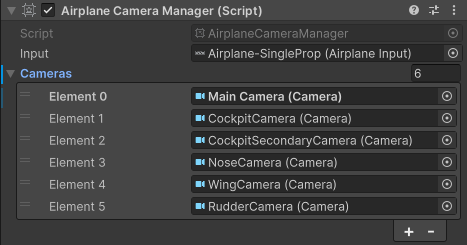
Switches between multiple cameras. Call SwitchCamera() or use the camera toggle input.
| Property | Description |
|---|---|
| Input | AirplaneInput reference |
| Cameras | List of Camera objects to cycle through |
AirplaneLightManager
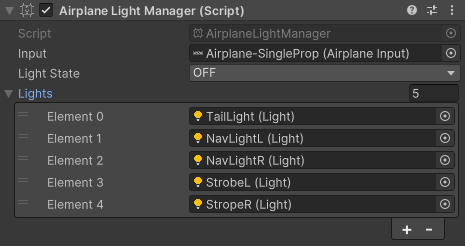
Toggles a group of lights on/off with a single input or API call.
| Property | Description |
|---|---|
| Input | AirplaneInput reference |
| Light State | ON or OFF |
| Lights | List of Light objects to control |
AirplaneLightController
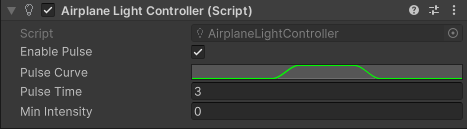
Pulse effect for individual lights (e.g., navigation lights).
| Property | Description |
|---|---|
| Enable Pulse | Toggle pulsing |
| Pulse Curve | Intensity animation curve |
| Pulse Time | Duration of one pulse cycle |
| Min Intensity | Lowest intensity during pulse |
AirplaneInformation
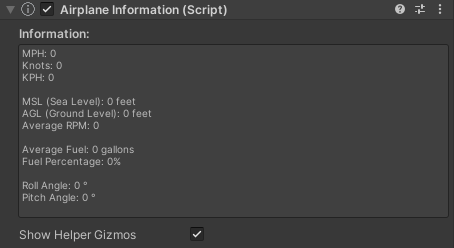
Read-only telemetry component. Provides speed, altitude, fuel, RPM, and attitude data.
| Property | Description |
|---|---|
| Show Helper Gizmos | Toggle editor gizmos |
Exposed properties: MPH, Knots, KPH, MSL, AGL, RPM, Fuel, FuelNormalized, RollAngle, PitchAngle.