 Dylan Auty
 Simple Drift Controller
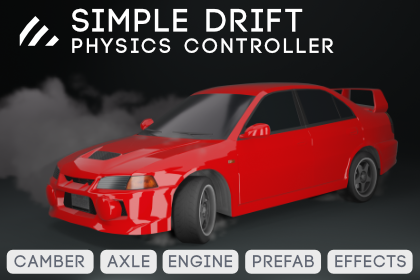
A physics-based drift vehicle controller for Unity with camber dynamics, clutch kick, drift scoring, prefab-based skid marks and smoke, and drift-aware camera swing-out. Built on the suspension and drivetrain foundation of Simple Offroad Controller, rebased and extended for drift.
Overview
| Feature | Description |
|---|---|
| Drivetrain | Torque-curve engine, automatic/manual transmission, 3 diff models |
| Suspension | Spring-damper per wheel with independent compression/droop |
| Camber | Static (-12° to +5°) + dynamic (body-roll based, up to -10°) with grip penalty and camber thrust |
| Tire Model | Three-region slip curve (peak, falloff, residual) with relaxation length |
| Static Friction Hold | Per-axle hold that keeps the vehicle planted on banked slopes while stationary (up to ~60°, configurable) |
| Stationary Stabilizer | Eliminates standstill jitter with gravity compensation, hysteresis, and smooth blend in/out |
| Clutch Kick | Brief torque spike to break traction on demand |
| Drift Scoring | Angle × time accumulation with countersteer bonus |
| Camera | Drift-aware chase cam with lateral swing-out and velocity look-ahead |
| Effects | Prefab-based skid marks + smoke per wheel, optional steering-axle exclusion, tire screech audio |
| Audio | Auto-created AudioSource, always-audible engine floor |
| Presets | Vehicle (Street/Tuner/Pro Drift/Formula D), Surface (Asphalt/Concrete/Wet/LowGrip), Engine (8 types) |
| Input | New Input System via .inputactions asset, programmatic delegate |
Default Input Bindings
| Action | Keyboard | Gamepad |
|---|---|---|
| Steer | A/D | Left Stick X |
| Throttle | W | Right Trigger |
| Brake | S | Left Trigger |
| E-Brake | Space | Button South (A) |
| Clutch Kick | C | Button West (X) |
| Reverse | R | Right Stick Down |
| Lights | L | Button Y |
| Camera Switch | Tab | Right Shoulder |
| Handbrake Toggle | H | Button North (Y) |
Package Contents
Scripts/— Runtime and editor scriptsEditor/— Custom inspectors, presets, Auto-Configure wizardInput/— Input system implementations (auto-managed by vehicle)Powertrain/— Engine and transmission serializable classes
Documentation/— This documentationImages/— Screenshots and diagrams
Requirements
- Unity 2022.3 LTS or newer
com.unity.inputsystempackage (Window > Package Manager)
Next Steps
- See Setup Guide for step-by-step setup instructions
- See Components for detailed component reference