Simple Offroad Controller
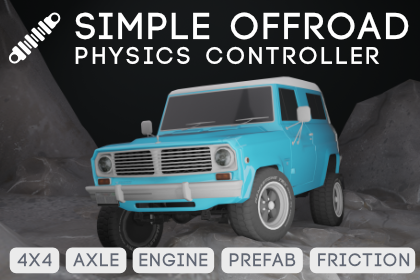
A physics-based offroad vehicle controller for Unity with solid-axle articulation, custom suspension raycasting, and differential locking. Designed for rock crawling, trail riding, overlanding, and baja racing.
Overview
Simple Offroad Controller replaces Unity's WheelCollider with a raycast-based solid axle system that provides realistic articulation, differential locking, and independent suspension travel per wheel. Every part of the drivetrain is exposed and tunable — from the engine torque curve and gear ratios to spring rates, damper curves, and differential bias ratios.
Drivetrain
| Feature |
Description |
| Solid Axle Physics |
Full articulation with independent left/right wheel travel per axle |
| Custom Suspension |
Spring-damper raycast with adjustable ride height, travel, spring rate, and damping |
| Differential Models |
Open, Locked, and Limited-Slip (TBR-based with configurable bias) |
| Low Range (4LO) |
Torque-multiplying transfer case gear for crawling |
| Engine Simulation |
Torque curve with multi-keyframe curves, inertia, rate-limited kinematic RPM coupling |
| Automatic Transmission |
RPM-based shifting with configurable gear ratios, shift points, and duration |
| Kinematic RPM Coupling |
Engine speed driven by wheel speed through the drivetrain ratio |
| Static Friction Hold |
Per-axle hold that keeps the vehicle planted on banked slopes while stationary (up to ~60°, configurable) |
| Stationary Stabilizer |
Eliminates standstill jitter with velocity damping and lateral-force deadband |
Ground Detection
| Feature |
Description |
| 4-Ray Wheel Cast |
Center, left-edge, right-edge vertical rays + forward-down overlap ray for step detection |
| Step Detection |
Angled ray from wheel center at 30° detects step corners before the wheel clips through |
| Wheel Width Contact |
Lateral edge rays at the tire shoulder for uneven terrain |
Presets & Setup
| Feature |
Description |
| Engine Presets |
V8 (diesel-like), V6 (balanced), I4 (high-RPM peak), I6 (broad flat curve) |
| Transmission Presets |
4, 5, or 6-speed gearboxes with realistic ratios |
| Vehicle Presets |
Rock Crawler, Trail Rig, Overlander, Baja Racer — one-click full configuration |
| Auto-Configure Wizard |
Interactive setup — assign body and wheels, vehicle is ready to drive |
Controls & Input
| Feature |
Description |
| New Input System |
Full .inputactions asset support via OffroadInputSystem |
| Input Delegate |
OffroadInputDelegate for code-driven throttle/steer/brake (AI, testing, network) |
| Max Throttle Limiter |
Slider to cap throttle for keyboard-controlled demos |
| Toggleable 4WD |
Per-axle canToggleDrive — switch between 2WD and 4WD on the fly |
| Parking Hold |
Auto-brake at low speed to prevent rolling on hills |
| Stationary Stabilizer |
Eliminates standstill jitter with velocity damping and lateral deadband |
Effects & Telemetry
| Feature |
Description |
| Wheel Effects |
Skidmarks, tire squeal audio, and smoke particles per wheel |
| Engine Audio |
RPM-driven pitch blending between idle and running loops |
| Headlights |
Toggleable headlights with automatic brake and reverse lights |
| Telemetry Display |
Real-time RPM, gear, speed, torque, compression, and articulation readout |
Aerodynamics
| Feature |
Description |
| Drag |
Speed-squared air resistance |
| Downforce |
Vertical grip force increasing with speed |
Default Input Bindings
| Action |
Input System Binding |
| Steer |
Left Stick X / A, D |
| Throttle |
Right Trigger / W, Up |
| Brake |
Left Trigger / S, Down |
| Low Range (4LO) |
Left Shoulder / Left Shift |
| Reverse |
Right Stick Down / R |
| Lights |
Y / L |
| High Beam / Cycle |
Y / L (same — cycles Off → Main → HighBeam → Accessories → Off) |
| Camera Switch |
Right Shoulder / Tab |
| Four-Wheel Drive (4WD) |
Left Bumper / F |
| Freelook (mouse) |
Mouse X / Mouse Y (built-in axes, no setup needed) |
Package Contents
Scripts/ — Runtime and editor scripts
Editor/ — Custom inspectors and Auto-Configure wizardInput/ — Input system implementations (auto-managed by vehicle)Powertrain/ — Engine and transmission serializable classes
Documentation/ — This documentation
Images/ — Screenshots and diagrams
Requirements
- Unity 2022.3 LTS or newer
com.unity.inputsystem package (Window > Package Manager)
Next Steps
 Dylan Auty